
The Backend for the Website Form You Already Have
Point an existing form to one endpoint. SmartFormify saves each submission, sends notifications, and keeps responses ready for follow-up.
Keep the current form design
Use HTML or JSON
No separate form server
Integration preview
Choose the example that matches the project
Use the tabs to compare HTML, JavaScript, React, and Next.js. The Response tab shows the JSON that SmartFormify returns after a submission is saved.
Request path
api.smartformify.com/fe/YOUR_ENDPOINT_KEY
Endpoint examples
html
<form
  action="https://api.smartformify.com/fe/YOUR_ENDPOINT_KEY"
  method="POST"
>
  <label>
    Name
    <input name="name" required>
  </label>

  <label>
    Email
    <input type="email" name="email" required>
  </label>

  <label>
    Message
    <textarea name="message" required></textarea>
  </label>

  <button type="submit">Send</button>
</form>Setup
Three steps from form to inbox
The page keeps its current fields and design. SmartFormify becomes the destination for each submission.
Create an endpoint
Create an endpoint for the website or client project.
Connect to your form
Add the SmartFormify endpoint to the existing form.
Manage submissions
Receive notifications, send replies and manage responses from the dashboard.
Response workflow
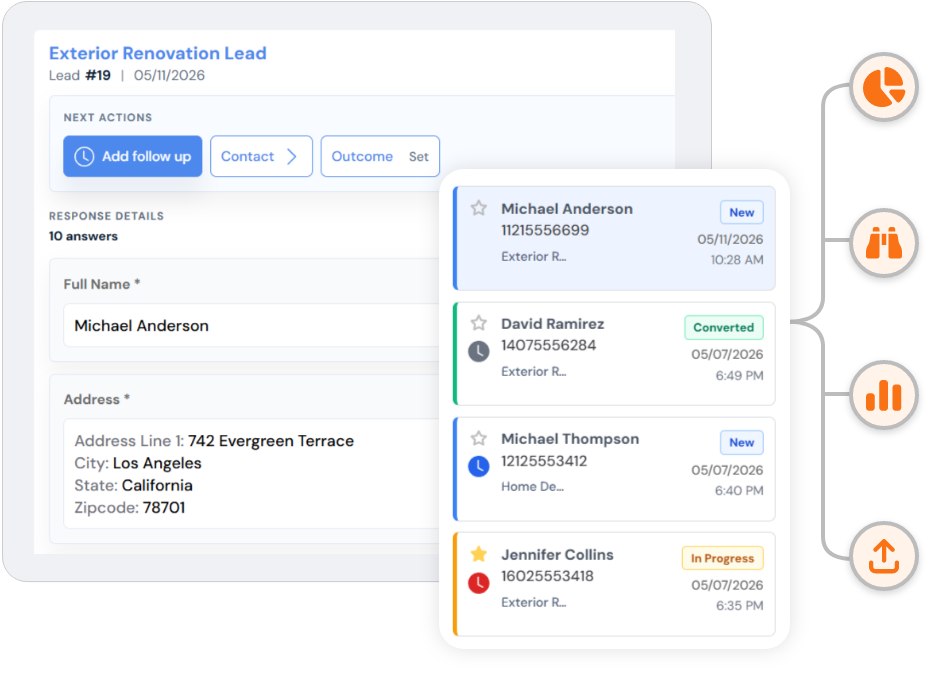
Every submission lands in one working inbox
Read the submitted fields, add notes, set follow-up status, record an outcome, and export the response when needed.
- Email the form owner
- Send an automatic reply
- Keep notes and follow-up status
- Send saved data to connected apps
Included
The endpoint and the response tools stay together
Create the connection once, then manage access, notifications, responses, and delivery from the same account.
HTML forms and JSON
Use a normal POST form or send JSON from JavaScript, React, or Next.js.
Email notifications
Notify the form owner and send an automatic reply when the submission includes an email address.
Response inbox
Review answers, add notes, update follow-up status, record outcomes, and export responses.
Submission filtering
Block listed IP addresses, domains, phrases, or submissions that contain links.
Domain restrictions
Accept browser submissions only from the domains and subdomains you allow.
Clear response states
Handle saved, blocked, invalid, and rate-limited requests with standard HTTP responses.
Connected apps
Send accepted submissions to the tools you already use
Enabled integrations receive saved endpoint submissions according to the current plan and form settings.
Google Sheets
Slack
Trello
Google Calendar
ClickUp
Request outcomes
Handle each request with a clear status
SmartFormify returns the HTTP status and response data. Read both before redirecting, showing confirmation content, or displaying an error.
201
Submission saved
401
Invalid submit key
403
Request not allowed
429
Request limit reached
Free plan
Test the endpoint on a live website
- 100 submissions per month across the account
- 25 submissions per endpoint per day
- Email notifications and response management
- No card required for the Free plan
Implementation resources
Start with the guide for your project
Use the HTML, JavaScript, TypeScript, React, Next.js and static site guides available on SmartFormify.
- No custom form backend
- Email notifications
- Automatic replies
- Submission management
- Domain restrictions