
Send form responses to the apps you already use
When someone fills out your form, SmartFormify can send the details to the app you already use to review, reply, or follow up. That keeps new responses easier to see and much easier to act on.
AVAILABLE APPS
7
SETUP TIME
Minutes
WORKS WITH
Your daily apps
POPULAR GUIDES


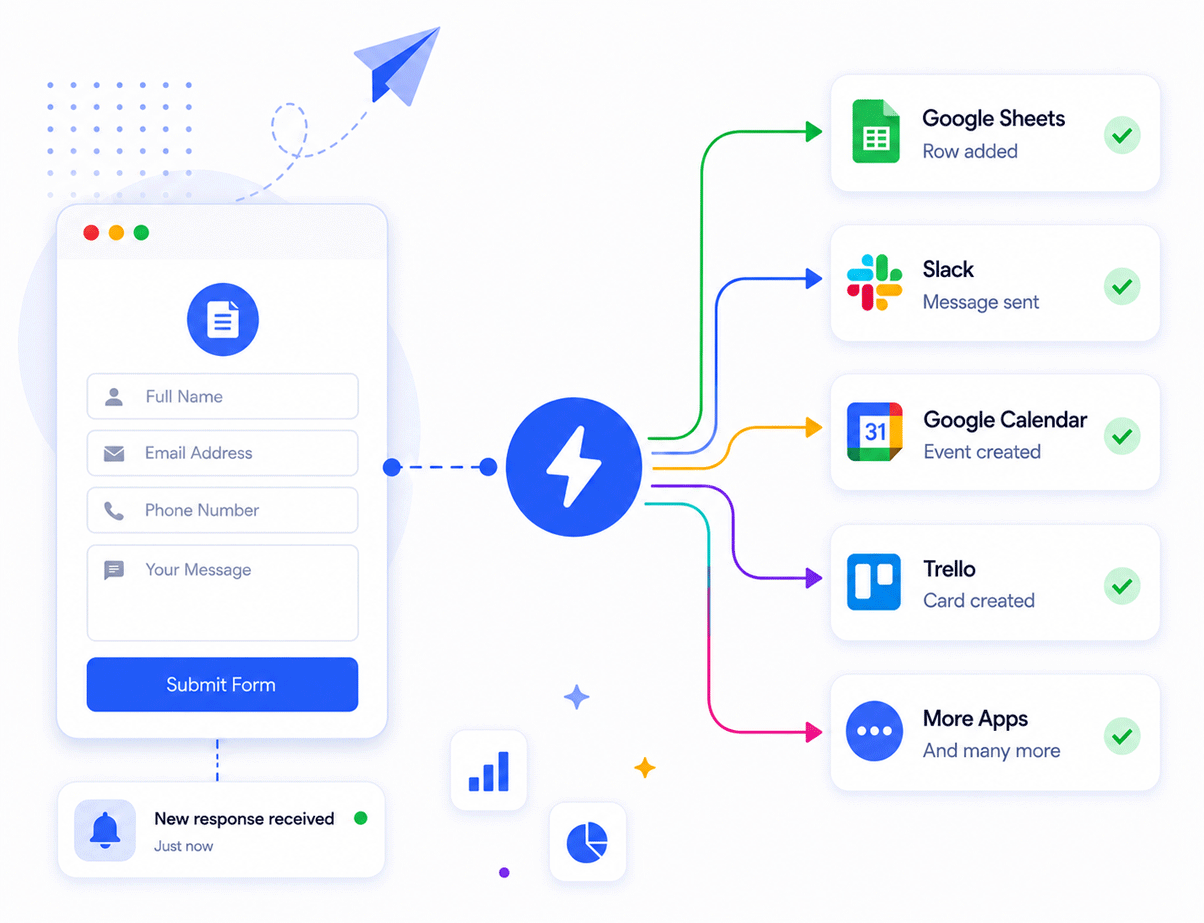
HOW IT WORKS
What happens after someone fills out your form
The process stays simple. Someone sends a response, SmartFormify passes it along, and you see it in the app you already use.
1
Step
Someone fills out your form
A visitor sends an enquiry, booking request, feedback form, or registration.
2
Step
SmartFormify sends the details
Pick the app you want to update, then save the connection once.
3
Step
You see it where you already work
The response lands in your sheet, chat, calendar, board, or tracking tool so you can act faster.
Pick the app you want to connect
Start with the app you already rely on most. Each guide explains what the connection does and how to set it up in plain language.


Frequently asked questions
No. Each integration guide explains the setup in plain language. In most cases you choose the app, sign in, map the response details you want to send, and save the connection.
Yes. You can use one form and connect it to more than one app when that helps your business. For example, you might save the response in Google Sheets and also send an alert to Slack.
Google Sheets, Slack, Trello, and ClickUp are common starting points. They help you store enquiries, alert the right person, or move the next step into a board or task list.
Yes. Connect is useful for more than lead forms. You can also use it for booking requests, event registrations, support forms, onboarding forms, and customer feedback forms.
Start with one form and one app you already use every day. Google Sheets is often the simplest first setup because it gives you one clear place to review every new response.