
Form Notifications
Send form submission emails from the form settings
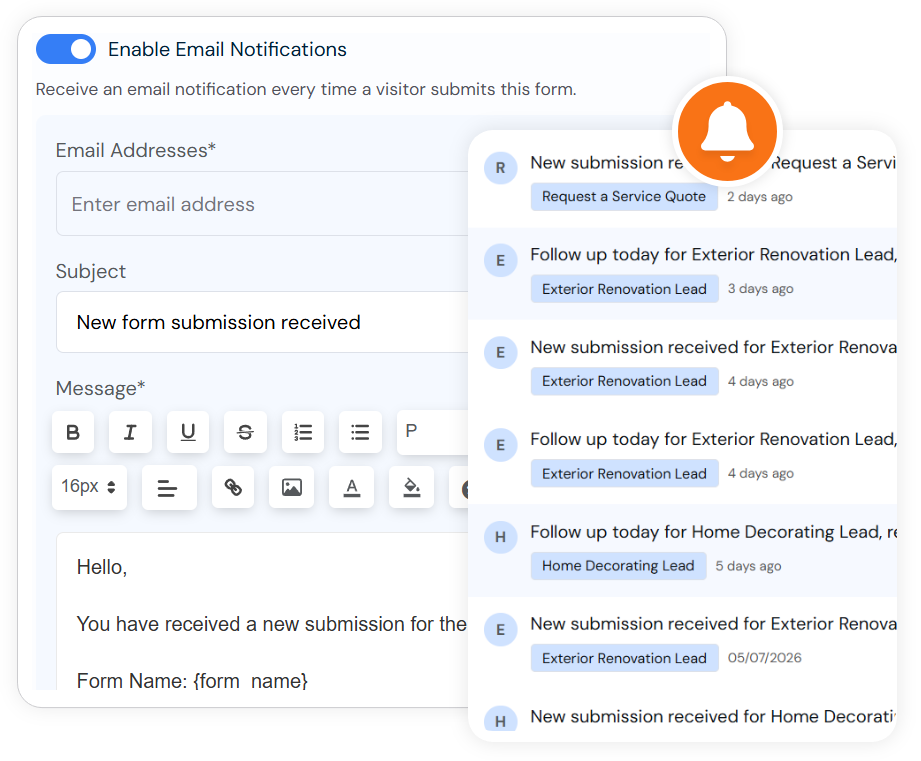
In SmartFormify, notifications are managed from the form settings. Turn on email notifications, choose the email addresses, set the subject, and edit the message sent when a visitor submits the form.
Exact settings
What SmartFormify notification settings include
This page is about SmartFormify's built-in notification controls. App integrations live under Connect; form email notifications live in the form settings.
Per-form email
Use the Notification settings panel on each form
Enable Email Notifications
Email Addresses
Subject
Message
Account preferences
Bell and mail settings are handled separately
The account notification settings table lets users switch Bell and Mail delivery for notification templates where those options are allowed.