
How to Create an Event Registration Form That Gets More Registrations
Design an event registration form that maximizes signups and keeps attendee data organized.
Organizing an event is exciting, but getting people to actually register can be challenging. Whether you're hosting a webinar, workshop, conference, or local meetup, your registration form plays a critical role in determining how many attendees sign up.
A well designed event registration form should:
- Make signup quick and effortless.
- Collect only essential attendee information.
- Guide users smoothly until submission.
In this guide, you’ll learn how to design a high-converting event registration form and how you can build one easily.
Why Your Event Registration Form Matters
Many event organizers spend a lot of time promoting their event but often overlook the importance of the registration form. However, if the form is complicated or poorly structured, users may leave without completing their registration.
A good registration form:
- Reduces friction during signup.
- Improves completion rates.
- Captures accurate attendee data.
- Enhances user experience.
- Supports event planning and communication.
Key Elements of a High-Converting Event Form
1. Keep Fields Minimal
Only ask for essential details like:
- Name
- Phone (optional)
- Ticket Type
Too many fields reduce conversion rates.
2. Use Step-by-Step Form Flow
Breaking a long form into steps:
- Makes it feel shorter.
- Improves completion rates.
- Keeps users engaged.
- Reduces overwhelm.
This is one of the most effective ways to increase registrations.
3. Use Conditional Logic
Show only relevant questions.
For example:
- Show meal preference only if food is included.
- Ask company details only for business tickets.
- Display extra fields for VIP attendees.
This keeps forms clean and personalized.
4. Optimize for Mobile
Most users register from phones, so your form should:
- Load fast.
- Be easy to tap.
- Avoid long scrolling.
- Have large input fields.
5. Make Sharing Easy
A great form should be easy to distribute:
- Share via link.
- Embed on websites.
- Add to landing pages.
- Send through email campaigns.
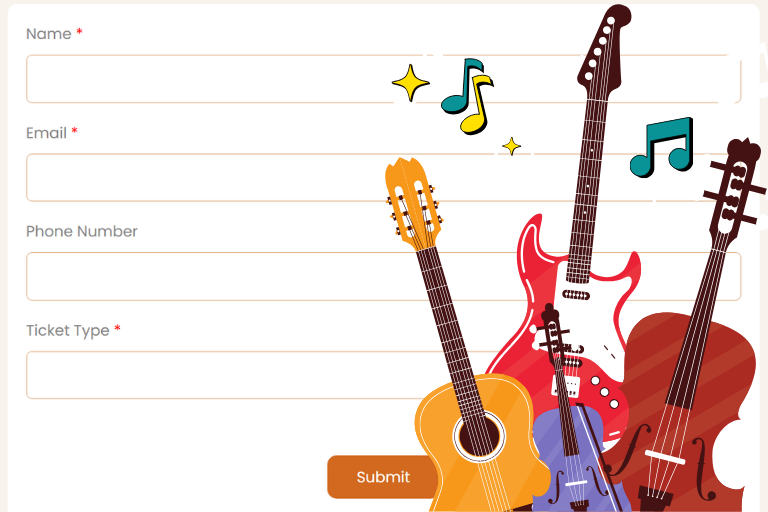
Example: Musical Event Registration Form Using SmartFormify
Let’s look at an example to understand how you can create a high-converting event form using SmartFormify.

Imagine you are organizing a live music concert called “Summer Beats Night 2026” featuring bands, DJs, and live performances. Your goal is to collect registrations quickly while keeping attendee data organized.
Step 1: Create a New Form
After log in to SmartFormify:
- Go to your dashboard.
- Create a new form.
- Choose a blank template or event template.
Now you can start building your musical event registration form using drag-and-drop fields.
Step 2: Add Basic Attendee Fields
Start with essential information to keep the signup process simple.
Recommended Fields:
- Full Name
- Email Address
- Phone Number (optional)
- Ticket Selection
Keeping this section short helps reduce drop-offs.
Step 3: Add Ticket Selection Options
Next, include ticket choices for your music event.
Example Fields:
- General Entry Pass.
- VIP Concert Pass.
- Group Booking Option.
You can also set pricing if the event is paid.
Step 4: Use Conditional Logic for VIP Attendees
SmartFormify allows you to show fields based on user selection.
For example:
If a user selects VIP Pass, automatically display:
- Meal preference.
- Meet-and-greet interest.
- Backstage access request.
This keeps your form clean and personalized.
Step 5: Enable Smart Flow (Step-by-Step Form)
Enable Smart Flow to show the form step-by-step like:
- Personal Details
- Ticket Selection
- Preferences
This step-by-step experience makes long forms feel shorter and increases completion rates.
Step 6: Customize Design for a Musical Theme
You can easily make your form match your event branding by:
- Adding a concert banner image.
- Using vibrant colors.
- Applying themes.
- Including your event logo.
This makes the form visually engaging.
Step 7: Share and Embed Your Form
Once your musical event form is ready:
- Share it via social media link.
- Embed it on your event website.
- Include it in email campaigns.
All responses will be automatically stored and organized in your dashboard.
Why This Musical Event Form Works Well
This example form performs better because it:
- Uses minimal initial fields.
- Shows questions step-by-step.
- Displays only relevant questions.
- Provides a smooth user experience.
- Makes registration quick and easy.
Final Thoughts
Your event registration form directly impacts how many people sign up. A simple, smart, and user-friendly form can significantly boost conversions and help you fill seats faster.
By using step-based flows, conditional logic, and easy sharing options, you can create a seamless registration experience, and modern no code tools make the process easier than ever.
Start building smarter event forms today and turn more visitors into confirmed attendees.
Ready to capture your next big lead? Create your first SmartFormify form now.
Share this post


Latest posts
8 min read
How to Collect Leads From ChatGPT, Lovable, Bolt and Other AI Websites
7 min read
How to Connect AI Built Websites to a Form Backend
8 min read
How Agencies Can Manage Client Website Forms More Efficiently
8 min read
Best Contact Form Solution for Small Businesses
5 min read
How to Centralize Leads From Multiple Websites