
How to Create a Job Application Form for Better Hiring
Build a structured job application form that simplifies hiring and captures detailed candidate information.
The first 60 seconds of an application determine if a candidate stays or leaves. When a top tier professional clicks "Apply" and sees a clunky, 1990s style document, they don’t see a job they see a company that’s stuck in the past. To hire the best, you need to look the part. Let’s walk through how to build a sleek, modern application with SmartFormify that builds trust and excitement from the very first field.
Why a Modern Job Application Form Matters
Traditional hiring forms often create friction in the recruitment process. They are usually long, confusing, and difficult to manage. This leads to:
- Low completion rates
- Unorganized candidate data
- Delays in screening applicants
- Poor first impression of your company
A modern form solves these issues by focusing on simplicity, automation, and smart data collection.
Key Elements of a Modern Job Application Form
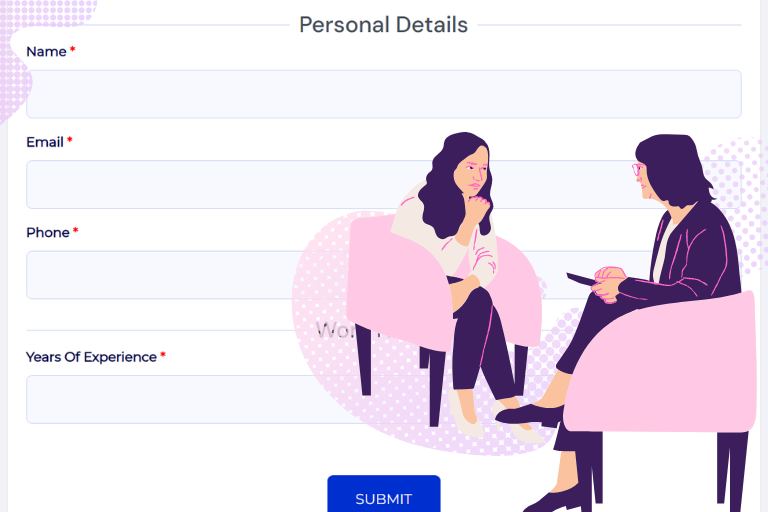
1. Clear Personal Information Section
Start with the essentials. Don’t overwhelm them keep the barrier to entry low.
- Fields to use: Name, Email Address, Phone Number, and Location .
Pro Tip: Keep it Mobile Friendly. Most people apply for jobs on their phones while on the go. Always click the "Preview" button to make sure your form looks clean and is easy to tap on a small screen!
2. Structured Work Experience Fields
Ditch the giant text box. Structure your data so you can compare candidates side by side without reading a novel.
- Fields to use: Repeater Section, Job Title, Company Name, and Date Range Picker.
Benefit: This turns "stories" into "data points" for your hiring team.
3. Skills & Qualification Selection
This is where the "Smart" in SmartFormify shines. Use high speed selection tools instead of making them type every skill manually
Fields to use:
- Multi-Select Tags: Best for technical skills (e.g., Python, SQL, Project Management).
- Star Rating: For self-assessing proficiency levels.
- Checkboxes: For "Must Have" certifications or licenses.
- Dropdown: Best for picking "How many years of experience?". This keeps your data neat and easy to sort.
4. Resume & Document Upload
A modern form must be a one-stop shop. Don’t make them email you a portfolio later.
- Fields to use: File Upload with "Drag & Drop".
- Settings: Restrict file types to .pdf and .docx to keep your folders clean, and set a Maximum number of uploads to avoid server bloat.
5. Smart Conditional Questions
This is the secret sauce for a "5-minute" application. Only show what matters.
- Logic Rule: If "Experience Level" is "Senior," THEN show "Leadership Questions".
- Fields to use: Radio Buttons followed by Conditional Text Areas.
- Result: A form that feels "custom built" for every single applicant.
How to Create a Modern Job Application Form
Creating a professional hiring form is simple when you follow a structured process:
Step 1: Define Your Hiring Requirements
Decide what information you need from applicants based on the role.
Step 2: Choose Essential Form Fields
Add fields for:
- Personal details
- Work history
- Education
- Skills
- Resume upload
Step 3: Organize the Form into Sections
Break long forms into multiple steps to make them easier to complete.
Step 4: Apply Branding & Design
Use colors, logos, and themes that match your company identity.
Step 5: Enable Smart Logic & Automation
Add conditional logic, auto responses, and notifications.
Why Use SmartFormify to Build Your Job Application Form
Creating forms manually or using basic tools can be time consuming and limited. A dedicated form builder provides powerful advantages.
No Coding Required
Build forms easily with a simple drag and drop builder..
Smart Flow for Higher Completion
Step by step navigation improves user experience and reduces drop-offs.
Easy Sharing & Embedding
You can instantly share your job application form via link, email, social media, or embed it on your website.
Centralized Response Management
All applicant data is stored in one dashboard for easy review and filtering.
Customizable & Professional Design
Create branded, clean, and modern forms that reflect your company image.
Best Practices for Smarter Hiring Forms
- Keep forms short and focused
- Use smart logic to avoid unnecessary questions
- Make forms mobile friendly
- Allow document uploads
- Provide clear instructions to applicants
Ready to hire smarter, not harder?
Great people won't wait for boring forms. Give your hiring process a fresh new look today and start finding your next star employee!
Share this post


Latest posts
8 min read
How to Collect Leads From ChatGPT, Lovable, Bolt and Other AI Websites
7 min read
How to Connect AI Built Websites to a Form Backend
8 min read
How Agencies Can Manage Client Website Forms More Efficiently
8 min read
Best Contact Form Solution for Small Businesses
5 min read
How to Centralize Leads From Multiple Websites