
HTML Forms vs Form Builders Which Is Better
Compare HTML forms and form builders to understand the differences, advantages, and which option is best for your website and business needs.
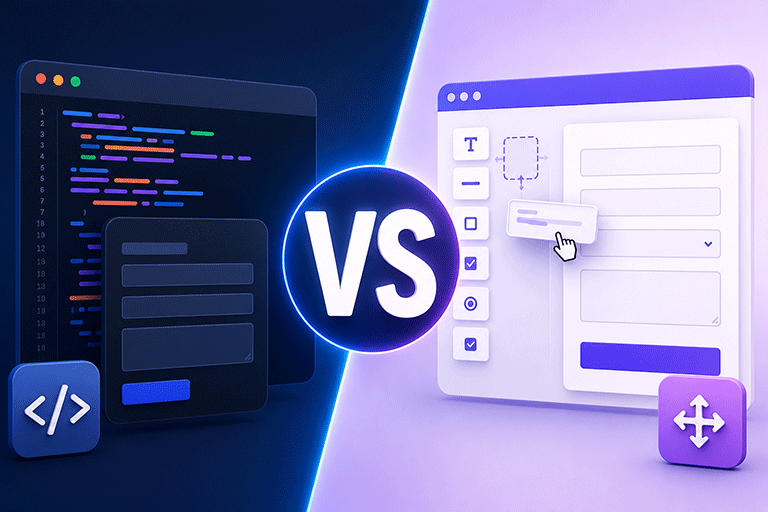
If your website needs a contact form, booking form, quote request form, or customer enquiry form, you have two common options.
You can build your own HTML form.
Or you can use a form builder.
Both approaches can collect information from visitors, but they work in different ways and are designed for different situations.
Choosing the right option depends on your website, your technical experience, and how you want to manage customer enquiries.
This guide explains the differences so you can decide which approach is right for your business.
What Is an HTML Form
An HTML form is created using standard HTML code.
It allows visitors to enter information into fields such as:
- Name
- Email address
- Phone number
- Message
You decide exactly how the form looks and behaves.
HTML forms give you complete control over the design because they become part of your website.
However, HTML only creates the visible part of the form.
You still need a backend to receive and process submissions.
What Is a Form Builder
A form builder allows you to create forms without writing HTML.
Instead of coding everything yourself, you use a visual editor to add fields, change layouts, and publish the form.
Most form builders make it easy to create:
- Contact forms
- Quote request forms
- Booking forms
- Event registration forms
- Surveys
- Job application forms
Many also include submission management, email notifications, and templates.
HTML Forms Give You Complete Design Control
One advantage of HTML forms is flexibility.
You can design the form exactly the way you want.
You decide:
- Field placement
- Colors
- Fonts
- Button styles
- Layout
- Responsive behavior
If your website already has a custom design, HTML forms allow everything to match perfectly.
Form Builders Save Time
If you do not want to write code, a form builder is often the faster option.
You can create a professional form in just a few minutes using a visual editor.
This is ideal for businesses that want to publish forms quickly without spending time on development.
HTML Forms Need a Backend
One important difference is that HTML forms need somewhere to send submissions.
Without a backend, an HTML form cannot reliably:
- Receive submissions
- Send notification emails
- Store responses
- Show success messages
- Help reduce spam
This backend can be your own server or a form submission service.
Form Builders Usually Include Submission Management
Most form builders include features that work immediately after the form is published.
These often include:
- Submission storage
- Email notifications
- Thank you messages
- Form sharing
- Templates
This means businesses can begin collecting enquiries without building their own submission system.
Which Option Is Better for Existing Websites
If your website already has an HTML form that visitors are using successfully, replacing it may not be necessary.
Instead of rebuilding the form, you can simply connect it to a modern backend.
This allows you to keep:
- Your current design
- Your branding
- Your layout
- Your customer experience
Only the submission process changes behind the scenes.
SmartFormify Supports Both Approaches
One advantage of SmartFormify is that it supports both businesses that need new forms and businesses that already have existing forms.
If you want to create a new form, you can use the SmartFormify Form Builder.
If your website already has an HTML form, SmartFormify Connect allows you to connect that form without rebuilding it.
Once connected, SmartFormify can:
- Receive submissions
- Store responses
- Send notification emails
- Show after submission messages
- Help reduce spam
- Organize enquiries in one dashboard
This gives you flexibility regardless of how your website was built.
Which One Is Easier to Maintain
For businesses without a developer, form builders are generally easier to maintain.
Changes can often be made through a visual interface.
HTML forms may require updates to your website code whenever you want to change fields or layouts.
However, if you already have a well designed HTML form, keeping it and connecting it to a backend is often the simpler long term solution.
Cost Considerations
Building an HTML form yourself may seem less expensive at first.
However, you also need to think about:
- Backend development
- Email delivery
- Submission storage
- Spam protection
- Future maintenance
A form builder often combines these features into one solution.
If you already have an HTML form, connecting it to a backend service can provide many of the same benefits without rebuilding your website.
A Practical Example
Imagine a local accounting firm.
Its website already includes a professionally designed HTML contact form.
The form matches the company's branding and works well for visitors.
The only problem is that submissions are managed through an old email script.
Instead of replacing the form with a completely new one, the business connects the existing HTML form to SmartFormify Connect.
The appearance stays exactly the same, while submissions are stored, notification emails are sent, and customer enquiries become much easier to manage.
Which Option Should You Choose
Choose an HTML form if:
- You want complete design control.
- You already have a custom website.
- You are comfortable working with website code.
Choose a form builder if:
- You need to create forms quickly.
- You prefer a visual editor.
- You want ready made templates.
- You do not want to write code.
If you already have an HTML form that you like, you do not have to replace it.
Connecting it to a modern backend is often the better solution.
Common Mistakes to Avoid
Many businesses rebuild perfectly good HTML forms when they only need better submission management.
Others build HTML forms without adding a reliable backend.
Some choose a form builder even though their existing form already meets their needs.
Understanding your requirements before making changes can save time and avoid unnecessary work.
Final Thoughts
HTML forms and form builders both have their strengths.
HTML forms offer complete flexibility and fit naturally into custom websites.
Form builders make creating new forms fast and simple without requiring technical knowledge.
The right choice depends on your website and your business goals.
If you already have a well designed HTML form, there is usually no reason to replace it.
With SmartFormify Connect, you can keep your existing HTML form while adding reliable submission handling, email notifications, spam protection, and organized response management.
If you are starting from scratch, the SmartFormify Form Builder provides an easy way to build professional forms while giving you the same powerful submission management features.
Share this post


Latest posts
8 min read
How to Collect Leads From ChatGPT, Lovable, Bolt and Other AI Websites
7 min read
How to Connect AI Built Websites to a Form Backend
8 min read
How Agencies Can Manage Client Website Forms More Efficiently
8 min read
Best Contact Form Solution for Small Businesses
5 min read
How to Centralize Leads From Multiple Websites