
Lead Generation Forms That Convert
Learn how to create high-converting lead generation forms with real examples, practical tips, and beginner-friendly strategies to boost conversions.
Have you ever opened a website, saw a form, and immediately closed it?
This happens with most people.
Sometimes the form looks too long. Sometimes it asks too many questions. Sometimes it is simply confusing.
But on the other hand, there are also forms that people fill without hesitation. They feel simple, quick, and clear. Users understand what they will get, and the process feels easy.
That is the difference between a normal form and a high-converting lead generation form.
The good news is that today you don’t need coding knowledge to build such forms. With no code tools like SmartFormify, anyone can create professional, conversion focused forms that capture more leads without technical skills.
In this guide, you will learn how high-converting forms work, why they matter, and how you can create one easily.
Why Lead Generation Forms Are So Important
A lead generation form is often the first interaction between you and a potential customer.
You can think of it like your digital introduction.
If the form feels difficult, users leave. If it feels simple and helpful, they complete it.
This is why forms are very important.
They directly affect how many leads you get. Even small improvements can increase conversions a lot. They also help you collect quality leads, not just random contacts. And most importantly, they can guide users step by step like a mini sales funnel.
So a form is not just a data collection tool — it is a key part of your customer journey.
What Makes a Form High-Converting?
Many people think high-converting forms must be fancy or complicated.
But actually, they are simple.
Successful forms are easy to understand, short, and clear. They tell users exactly what they will get. They ask only necessary questions. And they guide users step by step instead of showing everything at once.
The main goal is simple:
Reduce effort and increase clarity.
When a form feels easy, users naturally complete it.
How High-Converting Forms Work
Step 1: Show a Clear Benefit Users first think, “What will I get?” So always start with a strong benefit message like: “Get Your Free Business Consultation in 24 Hours.”
Step 2: Start With Easy Questions Begin with simple fields like name or email. Easy first steps make users comfortable to continue.
Step 3: Use Multi Step Design Break the form into small steps instead of showing everything at once. This makes the form feel shorter and less overwhelming.
Step 4: Use Smart Logic Show only relevant questions based on user choices. This keeps the experience simple and personalized.
Real Form Built Using SmartFormify
General Enquiry Form Lets visitors send simple questions or messages about your business.
Support Request Form Helps customers ask for help or report problems.
Sales Contact Form Collects details from people interested in your products or services.
Franchise Interest Form Used by people who want to open a franchise with your brand.
Business Inquiry Form For companies to send partnership or business related questions.
Callback Request Form Allows users to ask your team to call them back.
Event RSVP Form Used to collect confirmations from people attending an event.
Quote Request Form Lets customers ask for price details for services or projects.
Custom Order Request Form Allows customers to request products with special requirements.
General Job Application Form Helps job seekers apply by submitting their details and resume.
Healthcare Forms Used for patient registration, appointment booking, and basic medical information.
How SmartFormify Helps You Create High Converting Forms Easily
Let’s look at an example to understand how you can create a high-converting form using SmartFormify.
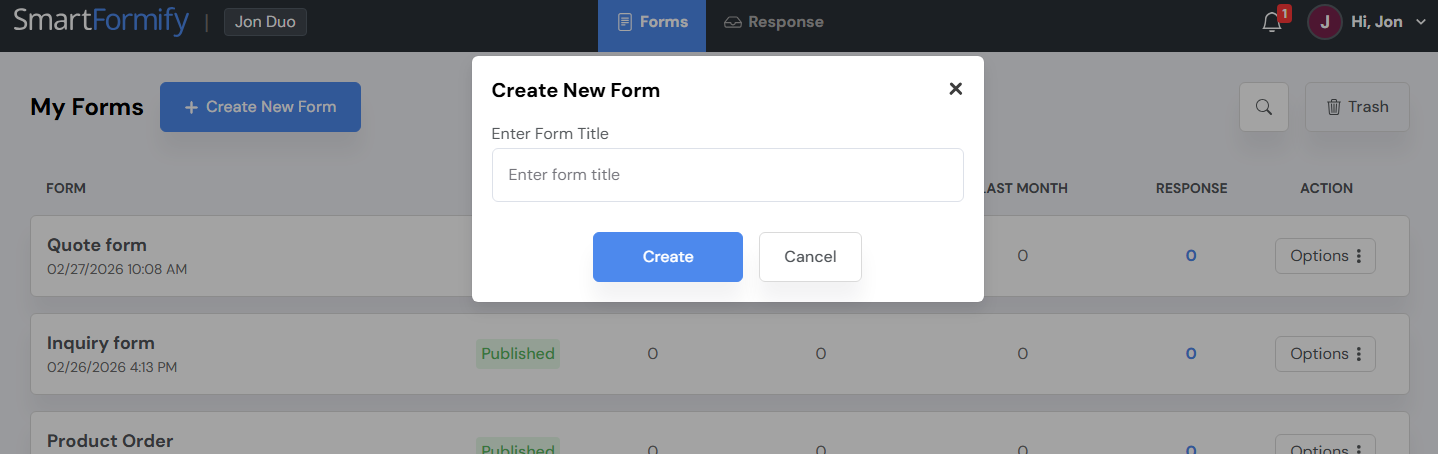
Step 1: Create a New Form
After log in to SmartFormify:
- Go to your dashboard.
- Create a new form.
- Choose a blank template.
Now you can start building your form using drag-and-drop fields.
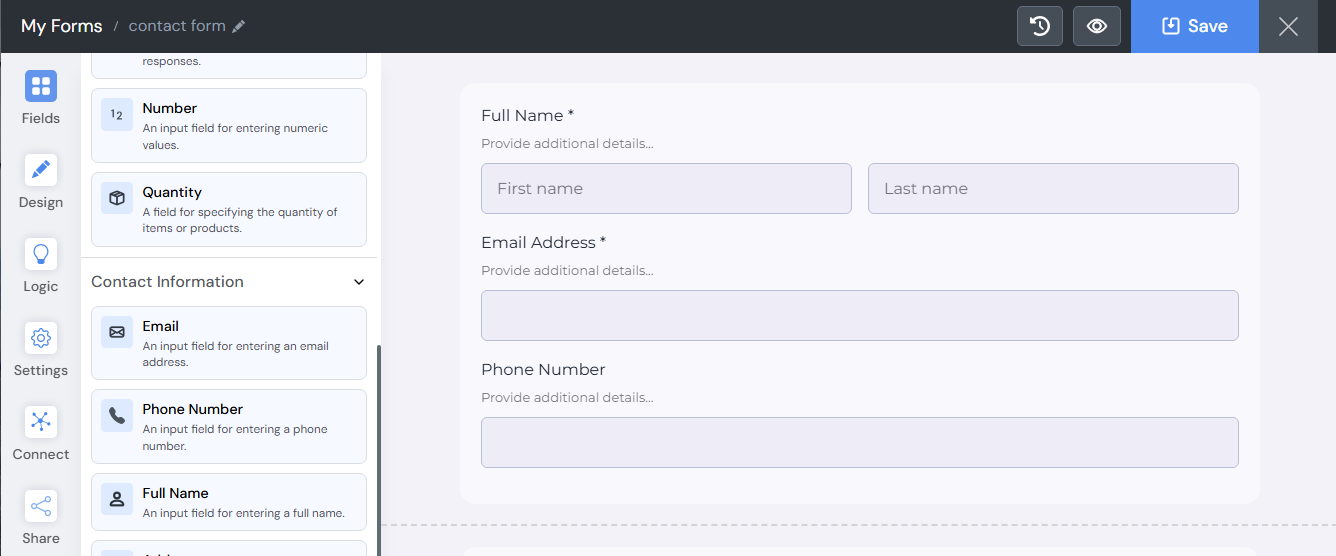
Step 2: Add Basic Fields
Start with essential information to keep the signup process simple.
Recommended Fields:
- Full Name
- Email Address
- Phone Number (optional)
Keeping this section short helps reduce drop-offs.
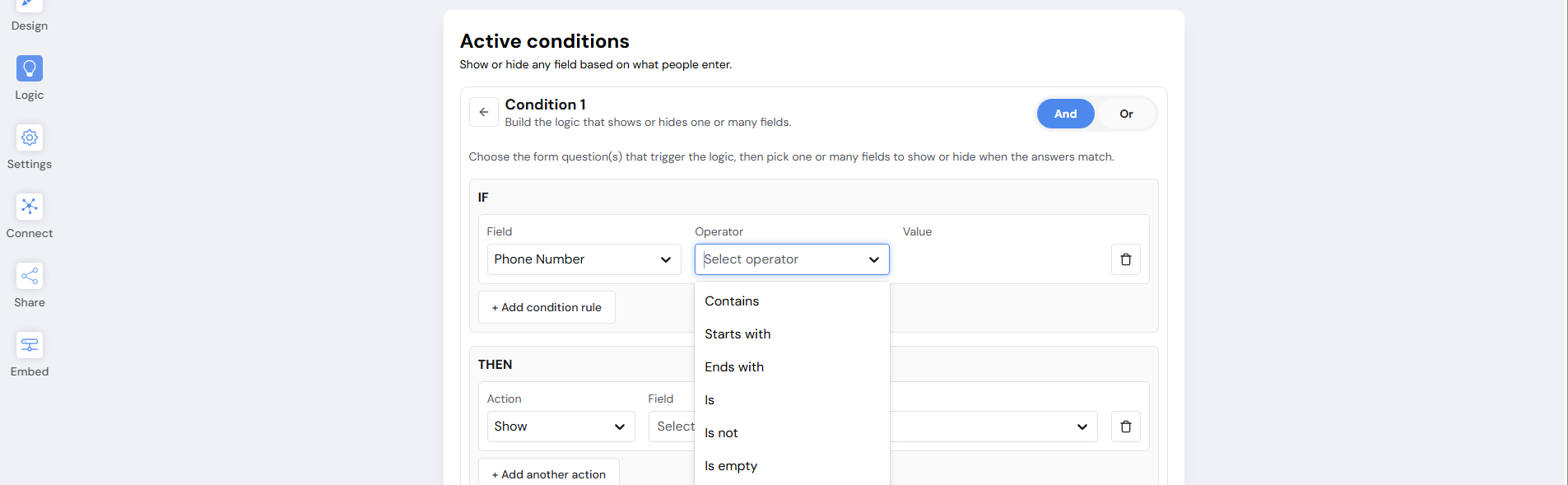
Step 3: Conditional Logic
Add smart logic to show relevant questions .Show or hide questions based on previous answers to create a personalized journey.
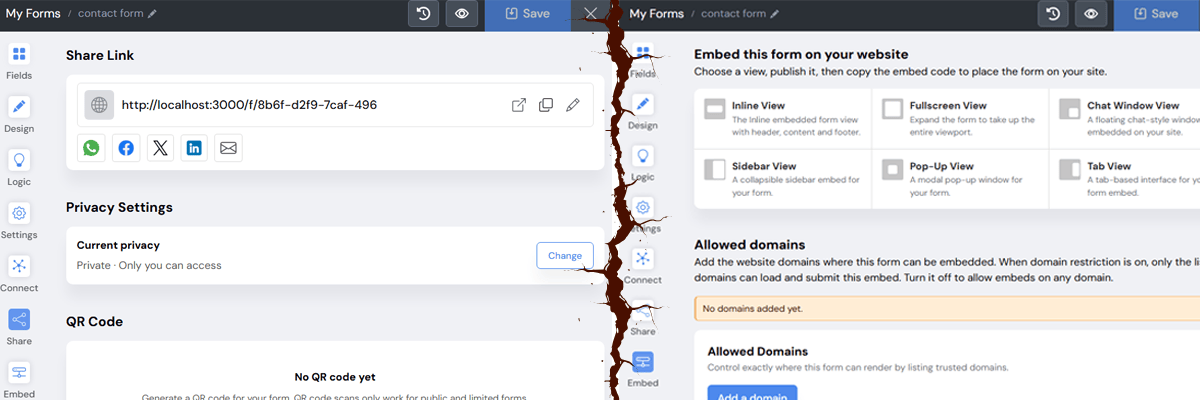
Step 4: Share and Embed Your Form
Once your form is ready:
- Share it via social media link.
- Embed it on your website.
- Include it in email campaigns.
All responses will be automatically stored and organized in your dashboard.
Conclusion: Simple Forms Bring Better Results
High-converting lead generation forms don’t need to be complex — they just need to be clear, simple, and easy to complete. When users understand the benefit and face fewer fields, they are much more likely to submit the form.
With modern no code tools like SmartFormify, creating professional, conversion focused inquiry forms has become quick and effortless. By keeping your forms simple and user friendly, you can consistently turn website visitors into quality leads and support steady business growth.

Share this post


Latest posts
8 min read
How to Collect Leads From ChatGPT, Lovable, Bolt and Other AI Websites
7 min read
How to Connect AI Built Websites to a Form Backend
8 min read
How Agencies Can Manage Client Website Forms More Efficiently
8 min read
Best Contact Form Solution for Small Businesses
5 min read
How to Centralize Leads From Multiple Websites