
How to Receive Contact Form Submissions Without PHP
Learn how to receive contact form submissions without using PHP. Discover modern ways to collect enquiries, send notifications, and manage responses.
For many years, PHP was the standard way to process contact forms on websites.
A visitor completed the form, clicked Submit, and a PHP script received the information before sending an email.
This approach worked well for a long time.
Today, website development has changed.
Many websites are built using artificial intelligence, static website generators, modern JavaScript frameworks, or website builders that do not use PHP at all.
That raises a common question.
Can you receive contact form submissions without PHP?
The answer is yes.
In fact, many modern websites no longer use PHP to process contact forms.
Why Many Websites No Longer Use PHP
Technology has changed significantly over the past few years.
Many websites are now built using platforms that do not include a traditional PHP server.
Examples include:
- AI generated websites
- Static websites
- React websites
- Next.js websites
- Landing page builders
- Custom frontend applications
These websites still need working contact forms, but they often use a different way to receive submissions.
What Does PHP Normally Do
When someone submits a contact form, something must happen behind the scenes.
Traditionally, PHP would:
- Receive the submitted information
- Validate the data
- Send notification emails
- Save information
- Return a success message
Without PHP, another service simply performs these same tasks.
The visitor never notices the difference.
Modern Contact Forms Use a Backend Service
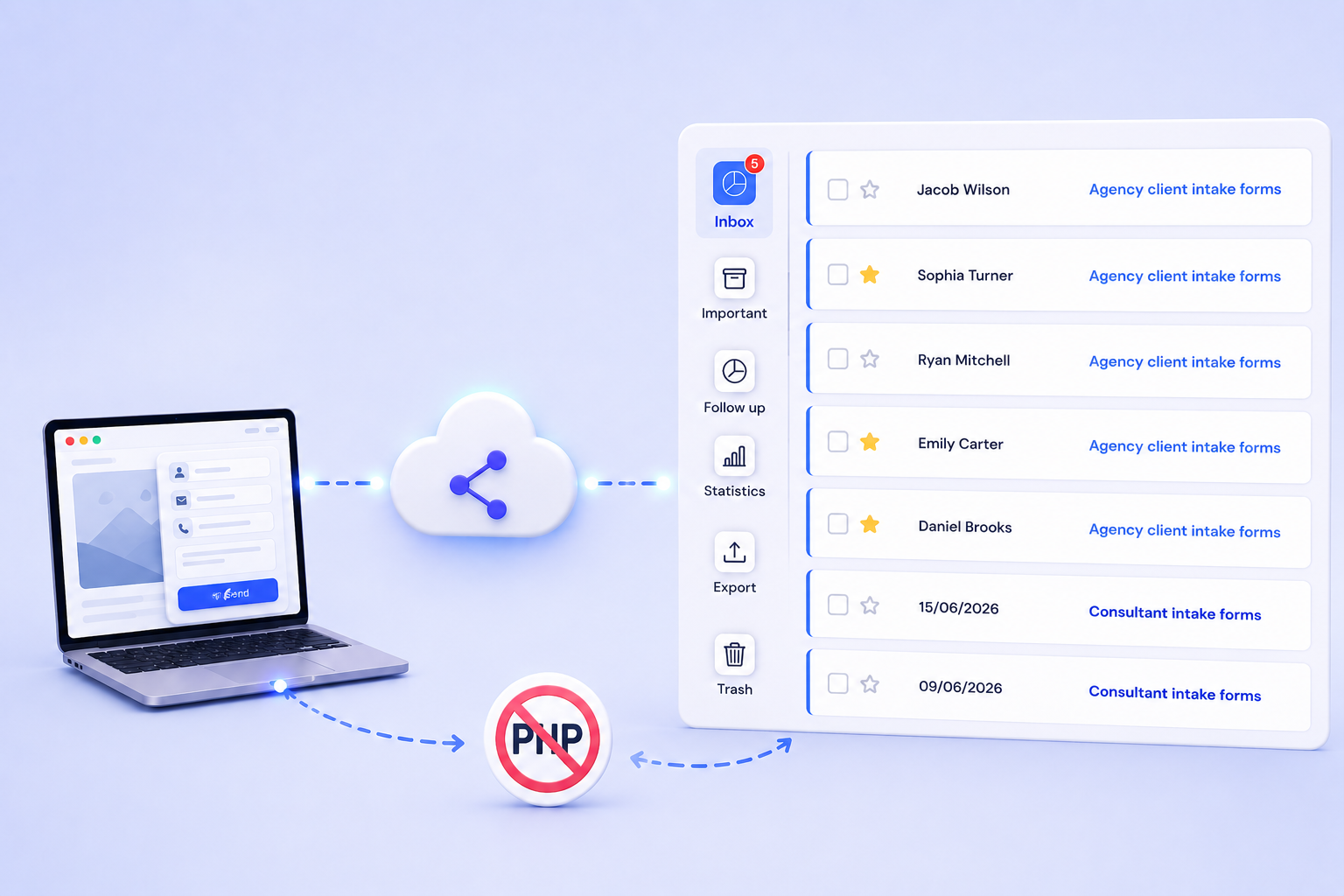
Instead of writing PHP code, many websites now send form submissions to a dedicated backend service.
The backend receives the information and processes it automatically.
It can:
- Save submissions
- Send notification emails
- Display thank you messages
- Help reduce spam
- Keep enquiries organized
This approach is often simpler than maintaining your own PHP scripts.
Keep Your Existing Contact Form
One of the biggest advantages of using a backend service is that you do not need to redesign your website.
You can continue using:
- Your existing contact form
- Your website design
- Your branding
- Your layout
Only the destination of the submitted information changes.
Your visitors continue using the same form without noticing anything different.
Store Every Submission
Many businesses depend only on email notifications.
While email is useful, it is not always reliable.
Emails can be deleted, filtered, or overlooked during busy days.
A modern backend stores every submission so you always have access to previous enquiries.
This makes it much easier to review customer conversations and avoid losing valuable leads.
Receive Instant Notifications
A good contact form should notify your team as soon as someone submits an enquiry.
Instead of checking your website throughout the day, you receive an email immediately after a successful submission.
This helps businesses respond faster and provide better customer service.
Reduce Spam
Public contact forms often receive unwanted automated submissions.
Modern form services include protection that helps reduce spam without making the form difficult for genuine visitors.
This creates a better experience for customers while keeping unwanted messages under control.
Show a Thank You Message
Visitors expect confirmation after submitting a contact form.
Instead of leaving them wondering if the form worked, a backend service can display a thank you message or redirect them to another page.
This provides reassurance that their enquiry has been received successfully.
Manage Everything From One Dashboard
As your business grows, keeping track of enquiries becomes more important.
Instead of searching through old emails, you can manage submissions from one dashboard.
This allows you to:
- Search responses
- Review customer details
- Follow up with enquiries
- Keep conversations organized
- Respond more efficiently
Having everything in one place saves time and improves customer communication.
SmartFormify Connect Makes It Simple
If your website already has a contact form, you do not need to replace it.
With SmartFormify Connect, you can connect your existing form to SmartFormify without changing its appearance.
Once connected, SmartFormify can:
- Receive submissions
- Store responses
- Send notification emails
- Display thank you messages
- Help reduce spam
- Organize customer enquiries
Your visitors continue using the same contact form while SmartFormify manages everything behind the scenes.
Who Can Use This Approach
Receiving contact form submissions without PHP is suitable for many different websites.
It works well for:
- AI generated websites
- Business websites
- Landing pages
- Agency websites
- Consultant websites
- Static websites
- Modern web applications
- Portfolio websites
If your website can submit form data, it can usually connect to a backend service without relying on PHP.
Common Mistakes
Many businesses believe they need to install PHP before their contact form can work.
Others spend time rebuilding forms that already look great.
Some rely only on email notifications and never save customer enquiries anywhere else.
A dedicated backend service removes these problems while allowing you to keep your existing website.
Final Thoughts
PHP is no longer the only way to receive contact form submissions.
Modern websites often use backend services that process submissions, send notifications, store responses, and help reduce spam without requiring a PHP server.
This approach is especially useful for AI generated websites and modern frontend applications.
With SmartFormify Connect, you can keep your existing contact form while adding reliable submission handling, email notifications, organized response management, and spam protection, all without using PHP or changing your website design.
Share this post


Latest posts
8 min read
How to Collect Leads From ChatGPT, Lovable, Bolt and Other AI Websites
7 min read
How to Connect AI Built Websites to a Form Backend
8 min read
How Agencies Can Manage Client Website Forms More Efficiently
8 min read
Best Contact Form Solution for Small Businesses
5 min read
How to Centralize Leads From Multiple Websites