
Form builder comparison
SmartFormify vs Tally.so
Both tools can help you create forms. SmartFormify focuses on website enquiries, quote requests, booking requests, and submissions that are easy to review.
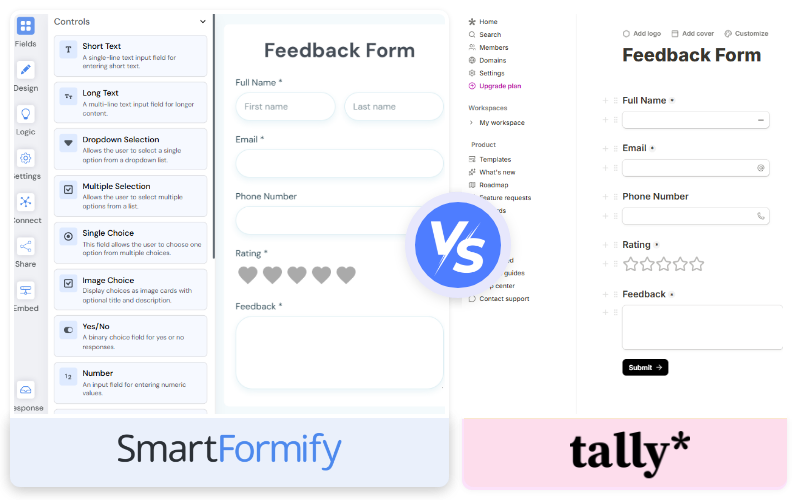
Quick answer
Choose SmartFormify if
- You want forms on your website, not just a lightweight standalone form.
- You want premade templates and the option to create custom website forms.
- You want to track status, add notes, and record outcomes after submission.
- You need website embed choices and direct form links.
Choose Tally.so if
- You want a very simple form that is quick to write and share.
- Your form does not need premade templates or follow-up status.
- You prefer a lightweight document-like form creation style.
- You already use Tally.so and only need simple collection.
Best for website enquiries
SmartFormify
Best for lightweight forms
Tally.so
Decision rule
Choose the tool that matches the form job, not the longest feature list.
How they compare
Platform Comparison
Where SmartFormify fits best
SmartFormify is designed for people and businesses that want modern forms, cleaner workflows, and faster implementation without unnecessary complexity.
Premade or custom
Start from a template or create the form your website needs from scratch.
Website placement
Publish forms where visitors are already interested in a service or offer.
Submission tracking
Add notes, status, and outcomes so new requests do not disappear into a list.
Where Tally.so may fit better
Depending on your workflow and enterprise requirements, there are still a few scenarios where Tally.so can be a stronger choice.
Simple forms that can be created quickly.
Lightweight collection where premade templates are not needed.
People who prefer a minimal form creation style.
Best choice by use case
Simple answer
If your main goal is to collect clearer enquiries from your website and keep submissions easy to review, SmartFormify is built around that job. If you need lightweight forms, Tally.so may fit better.
Common questions
Is SmartFormify a Tally.so alternative?
Yes, when you need more structure around website enquiries, quote requests, booking requests, response notes, and follow-up status.
When should I choose Tally?
Tally.so may fit better when you need a simple lightweight form and do not need premade templates or status tracking.
Can SmartFormify be used for simple forms too?
Yes. You can create simple forms in SmartFormify, but its strongest fit is business-facing forms that need clearer details and easier review.
Start with one useful form
Create a website enquiry form, quote request form, or booking request form and publish it on your website.
Explore More
Helpful next pages
Explore templates, integrations, and embed options to build better website forms and collect enquiries faster.
All product names and trademarks belong to their respective owners. This page is an independent comparison and is not affiliated with, endorsed by, or sponsored by the products mentioned. Learn more about SmartFormifytemplates,website embeds, andintegrations.